Business Workflow Platform
Google Workspace Automation Suite
An interconnected internal product suite that automated clinical workflow administration across Google Sheets, Gmail, web applications, and Windows file systems.
The system combined a management dashboard, Gmail add-on, eighteen automation scripts, patient-information validation, document-transfer webhooks, and an authorized status reply bot into one coordinated workflow.
CRM Management Dashboard
Screenshot 1 of 6
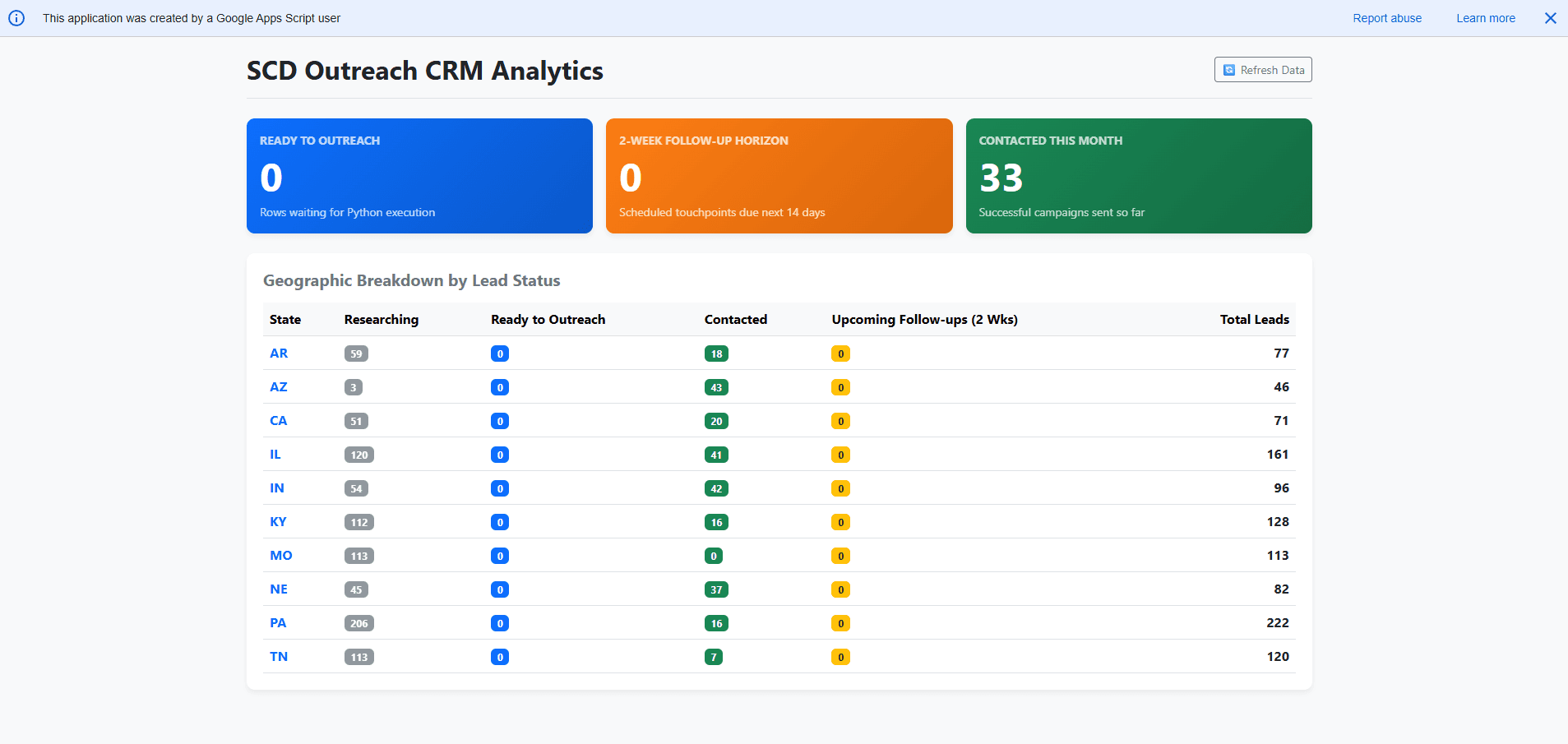
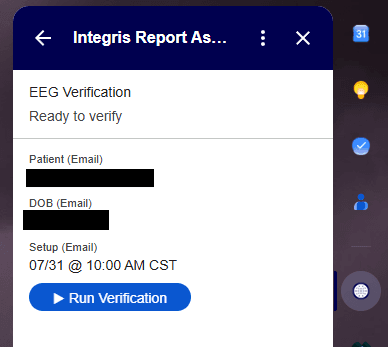
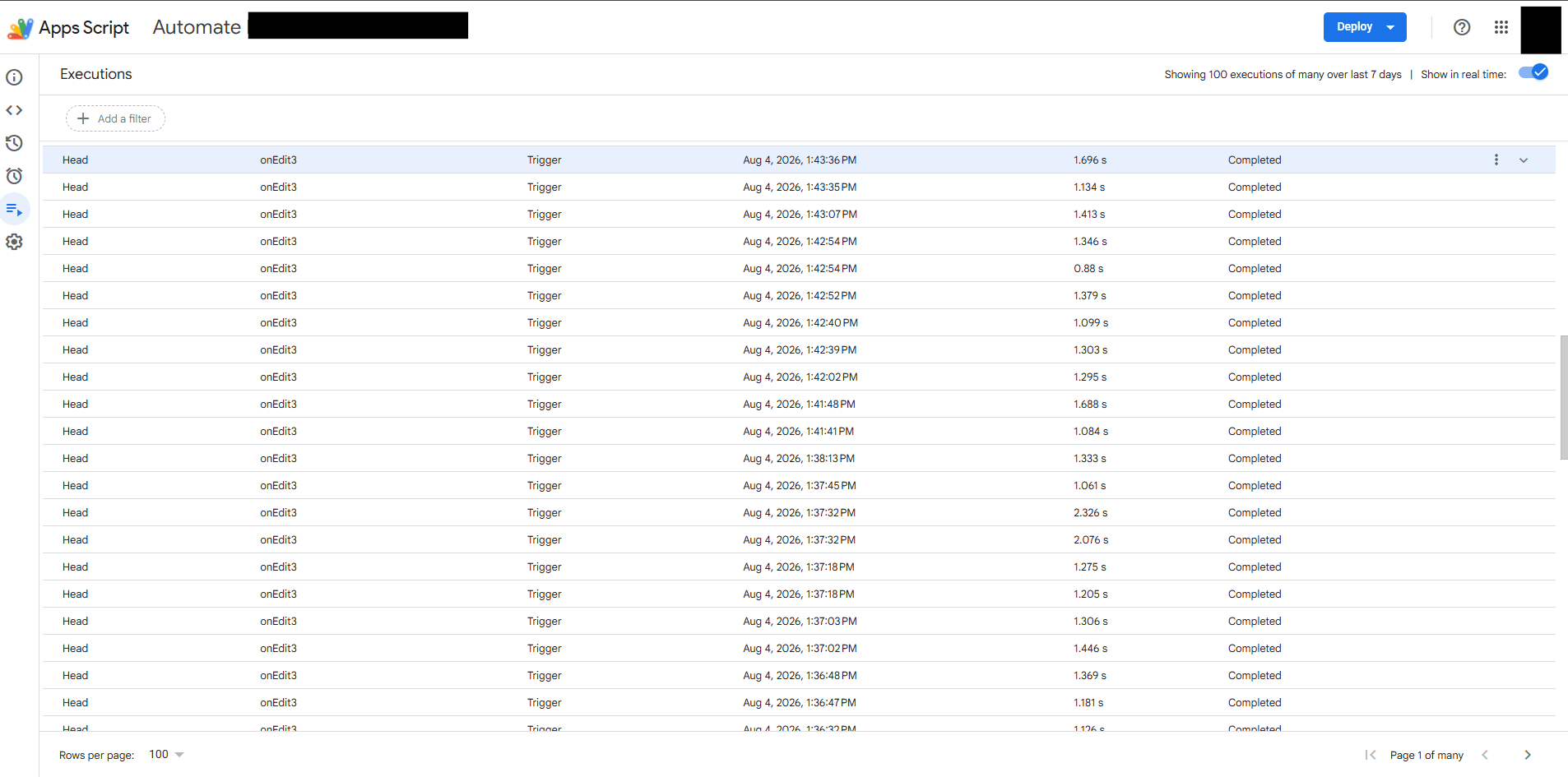
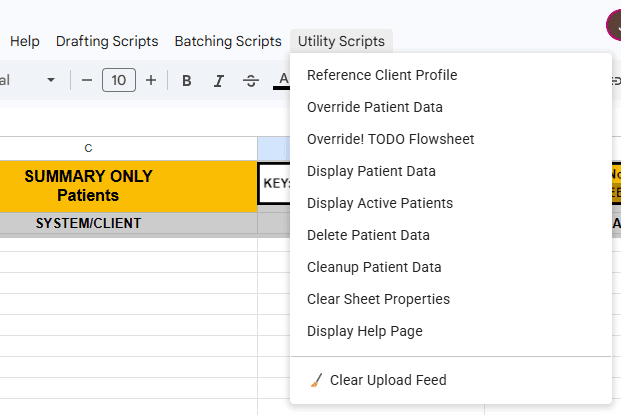
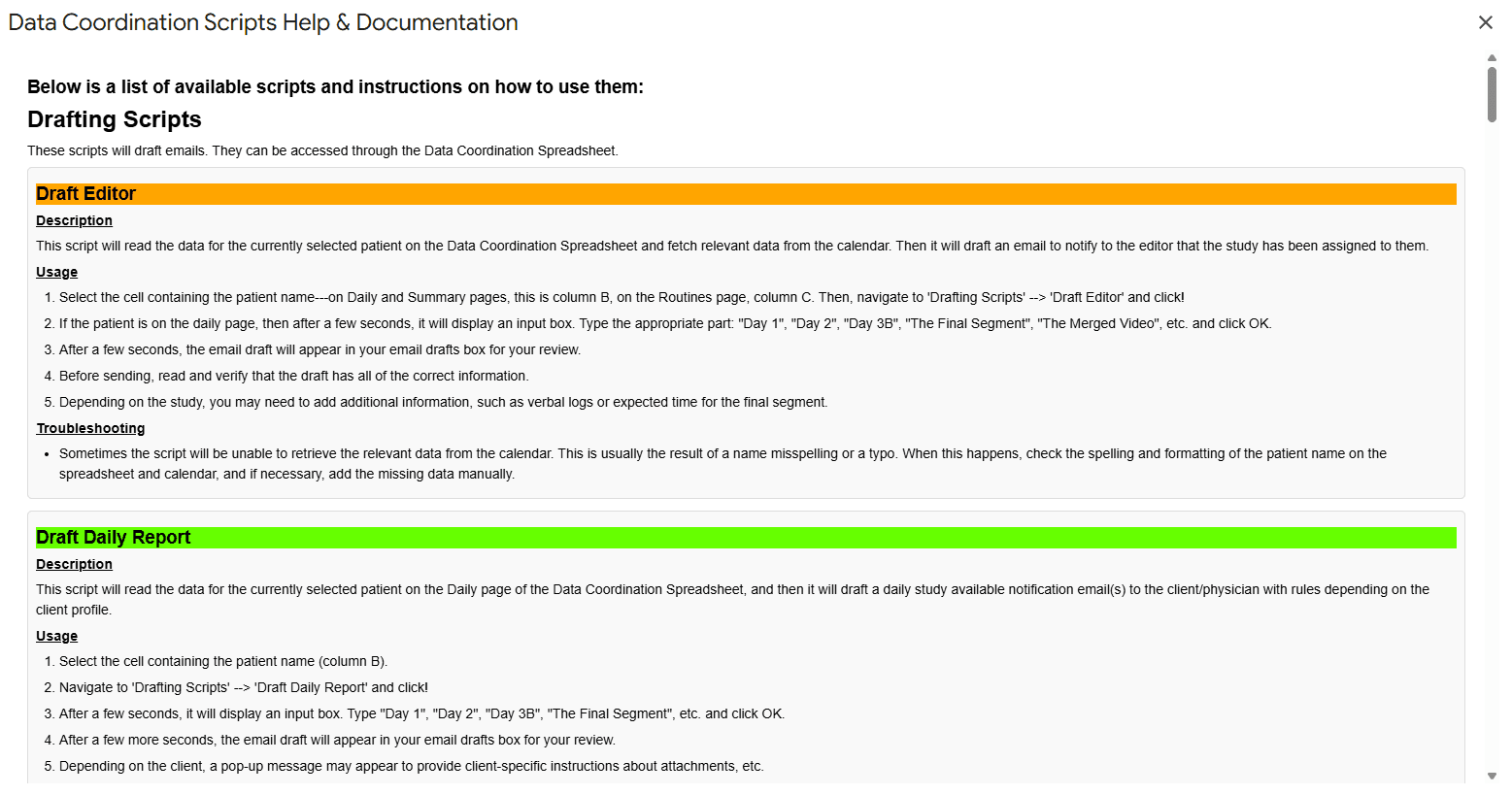
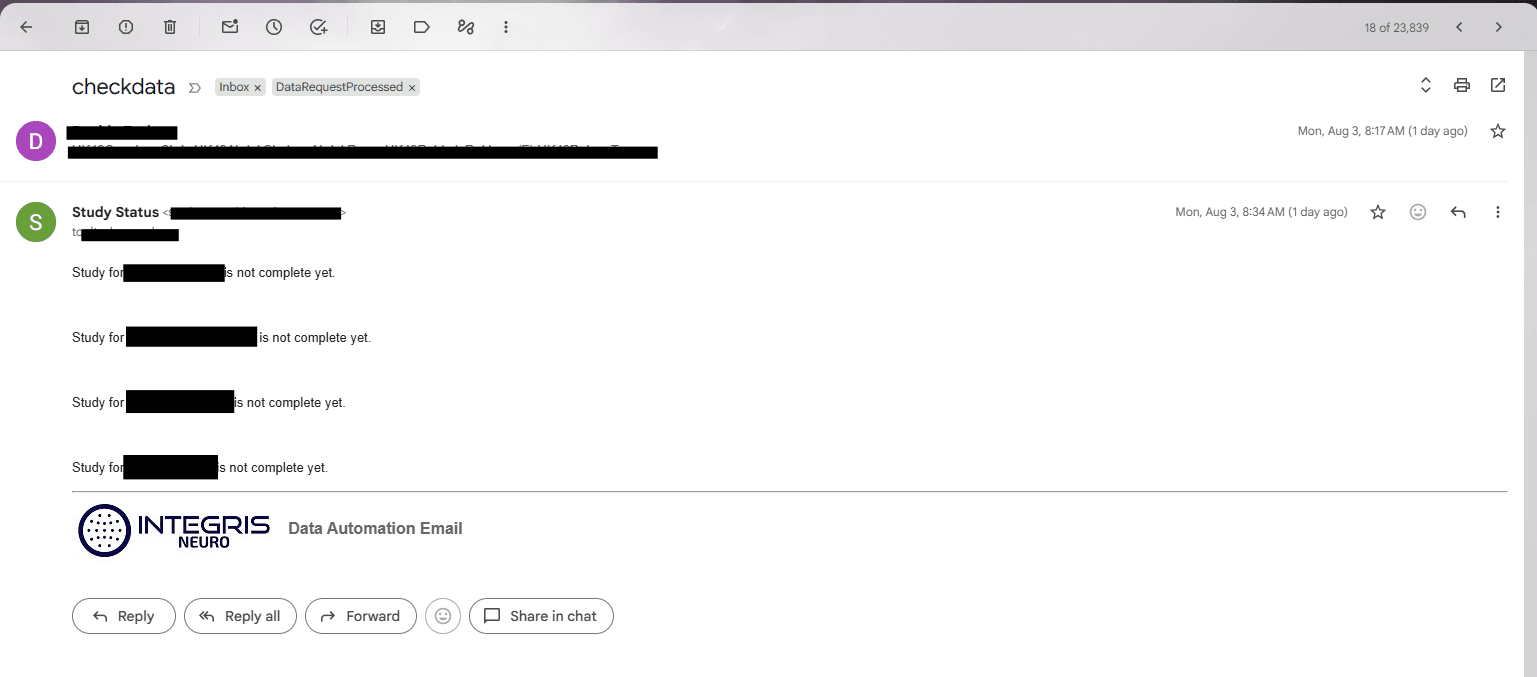
Centralized workflow visibility, client management, and operational controls.
18
Workflow automation scripts
3
Automation categories
5
Integrated product components
Safety
PHI-focused validation controls
The Problem
A complex workflow was spread across email, spreadsheets, documents, and user folders
Study administration required users to move repeatedly between Gmail, Google Sheets, report templates, patient records, shared documents, and physician folders.
Staff manually generated emails, verified information, updated study statuses, prepared report templates, routed documents, and responded to requests for progress updates.
The workflow was time-consuming and vulnerable to inconsistencies. Because it involved protected patient information, a recipient, patient, or document mismatch could create a serious privacy risk.
The Solution
A connected suite placed automation and safeguards throughout the workflow
I developed a collection of coordinated tools rather than one isolated script. Each component addressed a particular user need while relying on shared workflow data and validation rules.
The suite gave managers a web dashboard, added workflow tools inside Gmail, automated repetitive spreadsheet operations, connected document preparation to PowerShell file transfers, and provided authorized users with automatic study-status responses.
Validation logic was placed before sensitive actions to help ensure that automation improved both efficiency and safety.
Product Suite
Five connected components supporting one operational workflow
Each product addressed a different user context while sharing the same underlying study process.
Management Dashboard
A web application that gives authorized users a centralized view of study records, workflow status, assignments, validation results, and operational activity.
Gmail Workflow Add-on
A Gmail-integrated tool that helps users validate patient information and generate standardized report templates without leaving the email workflow.
Sheet Automation Library
Eighteen Google Apps Script automations organized into three categories for communication, workflow management, and validation.
Document Transfer Integration
A webhook workflow connects Google Workspace with PowerShell automation that moves prepared documents into the appropriate physician user folders.
Automated Status Reply Bot
A Gmail bot recognizes authorized requests and defined triggers, checks the current study state, and sends an automatic status response.
PHI Protection Controls
Validation and error-checking functions identify mismatched or incomplete information before communications or document-processing actions continue.
Automation Library
Eighteen scripts organized around three responsibilities
The scripts were grouped according to what they accomplished in the workflow rather than treated as an unrelated collection of utilities.
Communication Automation
Scripts generate standardized emails, prepare workflow notifications, create report-related messages, and reduce repetitive communication work.
- Email generation
- Recipient and template selection
- Standardized notification content
- Status-related communications
Workflow and Status Automation
Scripts update study states, synchronize workflow fields, manage task progression, and trigger downstream actions as work moves between users.
- Study-status updates
- Workflow field synchronization
- Task progression
- Document-transfer triggers
Validation and Error Prevention
Scripts compare critical data, identify incomplete records, block unsafe actions, and help prevent information from being sent to the wrong recipient.
- Patient-data validation
- Recipient checks
- Missing-field detection
- PHI breach prevention
System Architecture
A workflow spanning Google Workspace and Windows automation
User actions and workflow events were coordinated across several interfaces while maintaining clear handoffs between cloud and local processing.
Users
Managers, editors, physicians, and authorized requestors
User Interfaces
Dashboard, Gmail add-on, Sheets, and email
Apps Script
Workflow logic, validation, triggers, and messaging
Shared Workflow Data
Study status, patient data, assignments, and controls
Webhook
Signals that prepared documents are ready
PowerShell
Transfers documents to physician user folders
Input
Users interact through Gmail, the dashboard, Google Sheets, or defined email requests.
Validation
Apps Script checks authorization, patient data, recipients, study state, and required fields.
Automation
Approved actions generate messages, update records, create templates, or initiate document routing.
Feedback
Status changes, error messages, logs, and automated replies make the workflow observable.
Safety by Design
Automation with safeguards for sensitive patient information
Because the workflow involved PHI, correctness and authorization were treated as core product requirements.
Patient validation
Compares identifying information before report or communication actions proceed.
Recipient validation
Checks intended recipients and authorized-user conditions before information is sent.
Required-field checks
Stops actions when critical workflow or study information is incomplete.
Controlled automation
Sensitive actions occur only after defined validation conditions are satisfied.
The product principle
Automation should not merely make an action faster. It should make the correct action easier and the unsafe action harder.
Error checking and authorization were therefore incorporated into the workflow before messages, templates, transfers, or automated replies were generated.
Engineering Decisions
A product architecture shaped by user context and operational risk
The suite balanced usability, extensibility, privacy, and the practical constraints of an existing Google Workspace environment.
Why build a suite instead of one large application?
Users already worked primarily in Gmail and Google Sheets. Rather than forcing every task into a separate system, I placed each capability where it fit naturally while connecting the components through shared workflow rules.
Why use a web application for management?
Managers needed a focused view of operational data without navigating the underlying spreadsheets. The dashboard could present the most important statuses and actions through a cleaner, purpose-built interface.
Why build a Gmail add-on?
Patient information and report requests often entered the workflow through email. Integrating validation and template generation directly into Gmail reduced context switching and made correct processing easier.
Why organize the scripts into three categories?
Grouping the eighteen scripts by communication, workflow progression, and validation made the automation library easier to reason about, maintain, test, and explain to other users.
Why place validation before automation actions?
A fast incorrect action is worse than a slower manual process. Sensitive actions were designed to verify the necessary information before generating messages, updating records, or transferring documents.
Why use a webhook for the PowerShell handoff?
The Google Workspace workflow needed a controlled way to signal that a prepared document was ready for local processing. A webhook provided a clear event boundary between cloud workflow state and Windows file automation.
Why limit the reply bot to authorized requests?
Study-status information should not be returned simply because an email contains a matching phrase. The bot needed to consider both the request trigger and whether the sender was authorized to receive the information.
Why retain human review points?
The suite automated repetitive work while preserving user confirmation around sensitive or exceptional scenarios. Automation supported decision-making rather than removing accountability.
Technical Challenges
Coordinating sensitive workflows across multiple products and environments
Maintaining consistency across several interfaces
The suite included Google Sheets, a web dashboard, Gmail, an add-on, automated replies, and a PowerShell integration. Each component needed to follow the same workflow rules and interpret study status consistently.
Protecting sensitive patient information
Automation could make work faster, but it could also amplify errors. Validation checks were incorporated before sensitive communications and document actions so mismatched patient, recipient, or study information could be caught before processing continued.
Designing for several types of users
Managers, editors, physicians, and other authorized users interacted with different parts of the workflow. The system needed to expose the right information and actions without requiring every user to understand the underlying spreadsheet or script architecture.
Coordinating asynchronous processes
Email requests, spreadsheet changes, webhook calls, document transfers, and physician responses did not all occur at the same time. The workflow needed clear statuses and observable checkpoints so users could understand what had completed.
Integrating cloud and Windows environments
Google Apps Script could initiate the document workflow, but the final file movement occurred through PowerShell in the Windows environment. The integration required a stable handoff between the cloud-based workflow and local file-system automation.
Managing a growing automation library
As the number of scripts increased, related functions needed to be categorized and structured so future updates would not introduce conflicting workflow behavior.
Development Process
Built incrementally around real workflow problems
Map the complete operational workflow
I documented how study information entered the organization, which users handled each stage, where delays and mistakes occurred, and which systems were involved.
Automate the highest-volume repetitive tasks
Email generation, status updates, field synchronization, and routine validation were addressed first because they created immediate time savings and consistency.
Add safety and validation controls
As automation expanded, checks were added to compare patient, study, recipient, and workflow information before sensitive actions could proceed.
Create user-focused interfaces
The management dashboard and Gmail add-on reduced dependence on direct spreadsheet manipulation and placed workflow actions closer to where users performed their work.
Connect document processing to PowerShell
A webhook integration was introduced to hand prepared-document events from Google Workspace to Windows automation responsible for routing files.
Add automated self-service status responses
The Gmail reply bot enabled authorized users to receive defined study-status updates without waiting for a staff member to manually research and compose a response.
Refine from production feedback
The suite evolved as users encountered new edge cases, workflow exceptions, validation needs, and opportunities to simplify repetitive work.
Results
A unified internal product supporting the full study workflow
The suite transformed disconnected manual tasks into a coordinated operational system. Users could perform work in familiar Google Workspace tools while automation handled repetitive communication, status management, validation, and document-routing activities.
The project also created a foundation for continued product development: new workflow rules and interfaces could be added to the same shared automation ecosystem rather than introduced as unrelated one-off scripts.
Primary outcomes
- →Created one connected automation ecosystem across Gmail, Sheets, web apps, and Windows
- →Developed eighteen workflow scripts across three functional categories
- →Reduced repetitive email creation and study-status administration
- →Added validation controls designed to prevent incorrect PHI handling
- →Enabled document-transfer events through Google Apps Script and PowerShell integration
- →Provided authorized users with automated study-status responses
- →Improved visibility through a dedicated management dashboard
- →Standardized report-template creation and patient-information validation
Lessons Learned
What this project taught me
- →Place automation where users already perform the work.
- →Treat data validation as a product feature, not an afterthought.
- →Design cross-system workflows around explicit handoff states.
- →Separate communication, workflow, and validation responsibilities.
- →Make automated decisions observable and understandable to users.
- →Preserve human review for sensitive and exceptional scenarios.
Project confidentiality
This suite was developed for an internal healthcare production environment. Patient information, company identifiers, user records, email addresses, spreadsheet data, webhook endpoints, authentication details, file-system paths, and proprietary source code have been intentionally excluded. The case study focuses on the product architecture, development approach, safety controls, and operational value.
Return to the portfolio to view additional automation projects.
View all projects